Cardiff Council: 4 routes to meetings, elections and housing support
Learn how to reach Cardiff Council the right way: search the meeting webcast archive, check election history, or use Cardiff Housing for repairs, support and anti-social behaviour reporting.
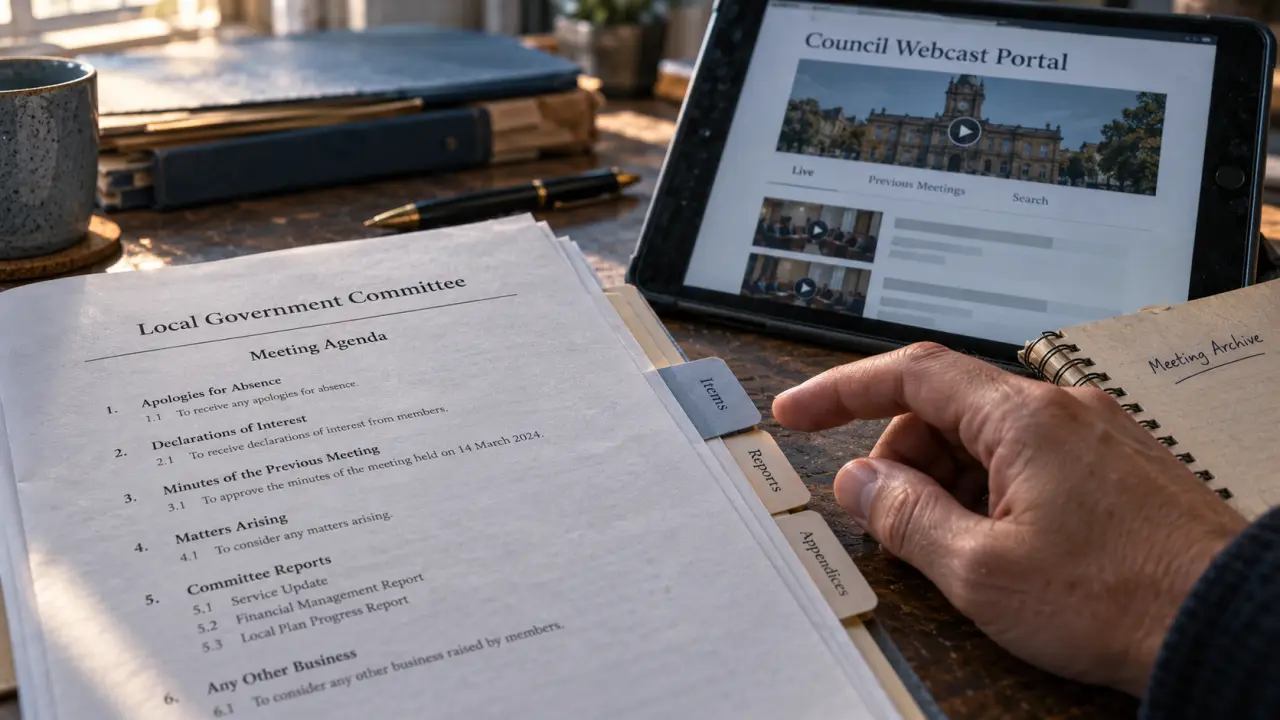
Looking for Cardiff Council usually means trying to get something done: watch a meeting, find a councillor, request housing advice or report a problem. The right starting point depends on the task. Meeting recordings, election history and tenant support serve different purposes, so it helps to distinguish them before submitting personal details or searching an archive.
Choose the Cardiff Council route that matches your task
Cardiff Council is the local authority for Cardiff. For residents, the important distinction is between information about council decisions and a route for requesting a service. Watching a housing debate, for example, is not the same as reporting a repair.
The following destinations cover three common needs. They should not be treated as interchangeable: the webcast portal contains meeting material, Cardiff Housing provides housing advice, and Wikipedia is an independent reference rather than a council service.
| Your task | Starting point | What to look for |
|---|---|---|
| Watch or revisit a council meeting | Cardiff Council webcasting portal | Live meetings, archives, search and associated documents |
| Find council tenant advice | Cardiff Housing | Repairs, financial support and anti-social behaviour guidance |
| Research previous elections | Cardiff Council elections reference | Election results, political control and leadership history |
For a service request, use the relevant reporting or contact route rather than a meeting page. Before entering personal information, check who operates the page and whether it is intended to receive that particular request. A reference article can explain an issue without being able to act on it.
Watch Cardiff Council meetings and search the archive
The Cardiff Council webcast portal provides live and archived meeting access. If you missed a broadcast, start with the recent meetings list. For an older discussion, use the archive and search facilities rather than scrolling only through the latest entries.
Search for the issue, then narrow the results
The portal’s search covers meeting titles, descriptions and keywords. Try a distinctive subject or place name first. If the results are too broad, advanced search allows a more targeted search, including by title. A meeting’s formal title may not mention every subject discussed, so an unsuccessful title search does not necessarily mean the discussion is absent.
Once you open a recording, look for index points identifying agenda items or speakers. These can take you to the relevant part without watching the whole meeting. Associated documents and presentations can also help explain references made during the discussion.
Think of a meeting record as a mesh of connected evidence: the agenda identifies the question, the recording captures the discussion, and supporting papers supply detail. Save the meeting title, agenda item and document name together. That small cross-reference makes it easier to revisit an issue without confusing a speaker’s proposal with the wider business being considered.
Use the text-based viewing option where helpful
The webcast portal also describes a text-based player option. Look for it in the player interface if that layout is more suitable. Do not assume that a text-based interface is a verbatim transcript; check what information is actually offered for the recording you need.
Separate Cardiff Council election history from current representation
The Cardiff Council elections reference describes a council of 75 councillors and a five-year election cycle. It also brings together election results, by-elections, political-control periods and council leadership history. This makes it useful for understanding changes over time, rather than submitting an enquiry to a representative.
For historical background, the reference distinguishes the authority’s establishment in 1995 from its coming into operation on 1 April 1996. Those dates describe different stages, not competing answers to the same question.
When researching representation, keep three questions separate:
- Who won an election? Look at the result for that election and ward.
- Which party controlled the council? Consult the political-control history.
- Who represents an address now? Check current council councillor information rather than relying solely on an older result.
A historical result should not be used on its own as proof of today’s membership or leadership. Equally, the council leader and an individual ward councillor are different roles; identify which one is relevant to your enquiry.
Find Cardiff Council housing advice and report the right issue
Cardiff Housing includes advice for council tenants on repairs, financial support and anti-social behaviour. Start with the category that describes the problem. A maintenance fault, difficulty managing housing costs and a complaint about behaviour need different information, even when they affect the same household.
For repairs advice, prepare a clear description of the fault, its location and any earlier report reference. For financial support enquiries, explain the difficulty you need help with, but provide sensitive documents only through the appropriate service channel. These preparations can make an enquiry clearer; they do not establish eligibility or guarantee an outcome.
The housing information also addresses anti-social behaviour involving council tenants and working with tenants towards resolution. Before reporting, write down what happened, where and when, distinguishing what you witnessed from what someone else told you. Follow the reporting guidance for the situation rather than assuming a general complaint is the correct route.
Keep a copy of any acknowledgement or reference number. If you later need to follow up, it helps connect the new enquiry to the original issue without starting the explanation again.